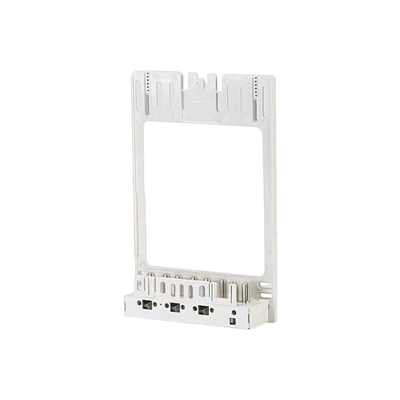






Hey there! As a supplier of GPRS Metering Blocks, I'm stoked to share with you how to set up remote access for these nifty devices. Remote access is a game - changer when it comes to monitoring and managing your metering systems, so let's dive right in!
Why Remote Access for GPRS Metering Blocks?
Before we get into the setup process, let's quickly talk about why remote access is so important. With a GPRS Metering Block, you can collect data from multiple meters in real - time. This data can be crucial for various reasons, like tracking energy consumption, detecting faults, and ensuring the smooth operation of your electrical systems. Remote access allows you to do all this without having to be physically present at the metering site. It saves time, money, and a whole lot of hassle.
Prerequisites for Setting Up Remote Access
First things first, you'll need a few key things to get started.
- GPRS Metering Block: Obviously, you need a functioning GPRS Metering Block. Make sure it's properly installed and connected to the meters you want to monitor.
- GPRS Network: The GPRS Metering Block relies on a GPRS network to transmit data. Check that there's good GPRS coverage at the metering site. You might need to consult with your local mobile network provider to ensure a stable connection.
- Remote Server: You'll need a remote server where the data from the GPRS Metering Block will be sent. This server should have the necessary software and hardware to receive, store, and process the data. It could be a cloud - based server or an on - premise server, depending on your requirements.
- Login Credentials: You'll need valid login credentials for accessing the remote server. These credentials are like the keys to your data kingdom, so keep them safe.
Step - by - Step Setup Process
Step 1: Configure the GPRS Metering Block
The first step is to configure the GPRS Metering Block. This usually involves setting up the communication parameters. You'll need to enter the APN (Access Point Name) provided by your mobile network provider. The APN is like an address that tells the GPRS device how to connect to the internet through the mobile network.
Most GPRS Metering Blocks come with a configuration interface, either through a web - based interface or a dedicated software. Log in to this interface using the default credentials (usually provided in the user manual). Navigate to the communication settings section and enter the APN details. You might also need to set the IP address and port number of the remote server where the data will be sent.
Step 2: Test the GPRS Connection
Once you've configured the communication parameters, it's time to test the GPRS connection. Most GPRS Metering Blocks have a status indicator that shows whether the device is connected to the GPRS network. If the indicator shows a successful connection, that's a good sign.
You can also try sending a test data packet from the GPRS Metering Block to the remote server. If the server receives the data, then the connection is working properly. If not, double - check the APN settings, the IP address, and the port number. You might also want to check if there are any network restrictions or firewalls that could be blocking the connection.
Step 3: Set Up the Remote Server
Now that the GPRS Metering Block is connected to the network, it's time to set up the remote server. If you're using a cloud - based server, the provider will usually handle most of the setup for you. You'll just need to create an account, configure the data storage settings, and set up any security measures.
If you're using an on - premise server, you'll need to install the necessary software to receive and process the data from the GPRS Metering Block. This might involve setting up a database to store the data, as well as a web - based interface for accessing and analyzing the data.
Make sure the server is properly configured to receive data from the GPRS Metering Block. You'll need to open the appropriate ports on the server and configure the firewall to allow incoming connections from the GPRS device.
Step 4: Establish Remote Access
Once the GPRS Metering Block is connected to the network and the remote server is set up, you can establish remote access. You can use a web browser or a dedicated mobile app to access the data on the remote server. Log in using your login credentials, and you should be able to see the data from the GPRS Metering Block.
You can view real - time data, historical data, and generate reports. You can also set up alerts and notifications so that you're informed immediately if there are any issues with the metering system.


Troubleshooting Common Issues
Even with the best setup, you might encounter some issues. Here are some common problems and how to fix them:
No GPRS Connection
If the GPRS Metering Block can't connect to the GPRS network, check the following:
- APN Settings: Make sure the APN settings are correct. You might need to contact your mobile network provider for the correct APN details.
- Antenna: Check if the antenna is properly connected and positioned. A poor antenna connection or a bad position can affect the GPRS signal strength.
- SIM Card: Make sure the SIM card in the GPRS Metering Block is working properly. You can try inserting the SIM card into another device to see if it works.
Data Not Being Received on the Server
If the remote server isn't receiving data from the GPRS Metering Block, check the following:
- IP Address and Port Number: Make sure the IP address and port number of the remote server are correctly configured in the GPRS Metering Block.
- Firewall: Check if there are any firewalls on the server that are blocking the incoming connections from the GPRS device. You might need to open the appropriate ports on the firewall.
- Server Software: Make sure the server software is properly installed and configured to receive the data from the GPRS Metering Block.
Other Types of Metering Blocks
In addition to the GPRS Metering Block, we also offer other types of metering blocks, such as the Three Phase Three Wire Metering Block and the Transparent Bulletproof Metering Block. These metering blocks have their own unique features and applications, and they can also be integrated into a remote monitoring system with a bit of customization.
Conclusion and Call to Action
Setting up remote access for a GPRS Metering Block might seem a bit daunting at first, but with the right steps and a bit of troubleshooting, you can have a fully functional remote monitoring system up and running in no time.
If you're interested in purchasing GPRS Metering Blocks or any of our other metering products, we'd love to have a chat with you. Whether you have questions about the setup process, need help with customization, or just want to learn more about our products, don't hesitate to reach out. We're here to help you find the best metering solutions for your needs.
References
- GPRS Metering Block User Manual
- Mobile Network Provider Documentation
- Server Software Documentation